
Summary: The best scheduling software for clinic appointment management depends on the clinic's specific needs. Jane App is ideal for clinics wanting integrated scheduling with charting and billing. Healthie suits growing practices with complex calendars. WellSky is best for high-volume settings. Square offers simple online booking. Reservio manages multiple locations and teams, while TIMIFY provides a user-friendly interface for various clinic sizes.
A front desk fielding a steady stream of phone calls before noon reveals how quickly an uncooperative booking system spills into the clinical day. Over two and a half decades, WellSky reports that its patient booking platform has supported scheduling for over 5,000 clinics, hospitals and practices. That scale illustrates why appointment calendars function as clinical infrastructure rather than basic office utilities: when templates fail, practitioners face delayed starts, crowded waiting rooms and admin work trailing into evening hours.
Finding the best scheduling software for clinic appointment management comes down to operational alignment rather than an exhaustive feature list. Every practice operates under distinct constraints, whether running solo providers, coordinating multi-site facilities, handling walk-in surges, or requiring direct ties between booking, clinical charting, billing records and direct patient messaging.
Healthcare workers evaluating potential employers need to inspect calendar mechanics because appointment structure governs clinical pacing long before the morning huddle begins. A platform unable to distinguish between room capacities, visit categories and individual provider hours generates constant friction, unforced scheduling errors and eroded breaks across an entire shift.
1. Jane App: best for connected clinic operations
Unified workflows give Jane App practice management its primary advantage by merging calendar bookings directly with clinical notes, insurance billing and secure patient communication. Health and wellness facilities gain the most from this design because the schedule operates inside the exact environment practitioners use for chart notes and treatment plans rather than an isolated front-office ledger.
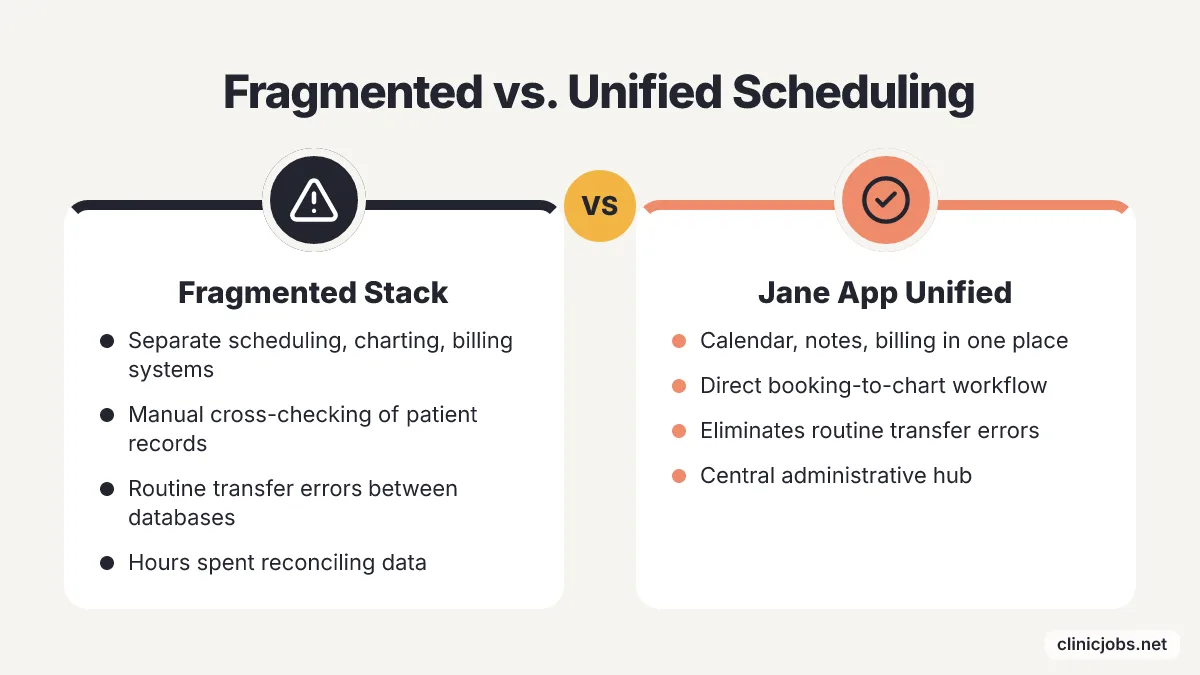
Fragmented technology stacks force staff to reconcile separate databases constantly. When chart documentation, invoice generation and visit calendars live across three distinct software vendors, practice teams spend hours manually cross-checking patient records and payment statuses. Placing scheduling alongside clinical records and billing files eliminates those routine transfer errors, turning the software into a central administrative hub.
Comprehensive software suites create unnecessary overhead when clinical requirements remain simple. A therapy room or boutique service that only requires a public booking link will find a full practice management platform excessive and slow to configure. Practices belong on Jane App when every booking choice must feed directly into clinical charting and back-office revenue cycles.
2. Healthie: best for growing practices with complex calendars
Multi-dimensional calendar structures allow Healthie patient scheduling to coordinate distinct clinicians, multiple clinical sites and varying appointment categories without friction. Expanding practices benefit immediately from these controls because opening new rooms or adding part-time associates breaks the straightforward availability grids that smaller offices rely on.
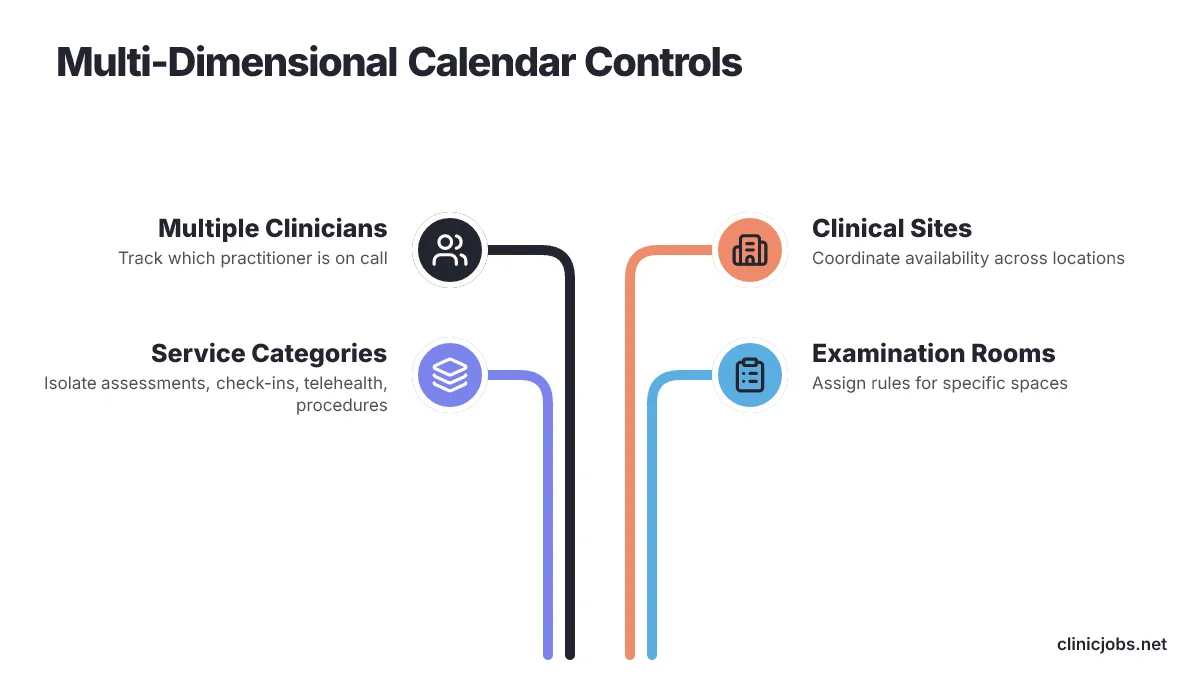
Scaling clinical teams face booking mistakes when generic calendars fail to track context. As staff numbers rise, administrative coordinators must verify which practitioner is on call, which examination room is open, and which delivery method applies to the encounter. Healthie structures its scheduling environment around those exact variables, letting coordinators assign rules for specific clinicians, clinical offices and service categories simultaneously.
Practitioners interviewing at expanding clinics should examine how the calendar establishes visit boundaries. Isolating initial assessments, routine check-ins, telehealth encounters and clinical procedures into discrete appointment types prevents staff from squeezing complex consultations into standard follow-up slots. Healthie fits teams that require strict scheduling architecture to protect clinical appointment lengths across changing schedules.
3. WellSky: best for established, high-volume care settings
WellSky suits enterprise organizations with hundreds of daily patient encounters that require scheduling platforms engineered to manage complex multi-departmental rules. Facilities coordinating multiple clinical specialties or distinct allied health teams need a system that enforces standardized booking rules regardless of front-office staff turnover.
Large healthcare networks operate on operational permanence rather than plug-and-play simplicity. When an organization spans multiple service branches and hundreds of active staff members, software must offer audit trails, custom role permissions and deep administrative reliability. WellSky addresses this organizational scale directly, offering a mature system architecture designed to withstand continuous high-volume intake across widespread hospital and clinical networks.
Deep enterprise functionality requires substantial administrative planning before rollout. Choosing software at this scale involves extensive stakeholder reviews, workflow mapping, and staff training rather than an afternoon setup. WellSky serves practices where appointment coordination has outgrown standalone clinic apps and represents an enterprise-wide infrastructure requirement.
4. Square: best for simple online booking and instant confirmation
Square fits practices that want patients to see openings, reserve visits, get quick confirmation, and keep calendars lined up with little setup. Square appointment scheduling describes that same appeal in plainer terms: patients check openings, book visits, collect fast confirmations, and keep schedules in sync. Solo practitioners and cash-pay clinics get a direct route to online booking, and they avoid the long setup cycles older medical software often brings.
Automatic confirmation right away also cuts down the phone traffic that can bury front desks during busy clinic hours. If patients can view open times on their phones and grab a slot without sitting on hold, intake gets easier. This kind of setup works best for practices with steady visit lengths, where speed matters more than complicated triage.
Clinics handling complex billing or team-based handoffs run into limits fast. Places that rely on detailed electronic health record links, tiered provider permissions, or detailed chart documentation will find commercial booking tools too thin. Square gives value when a practice needs dependable online calendar syncing and plain consumer reservations, without paying for software modules it will never use.
5. Reservio: best for managing locations, doctors and teams together
Reservio is built for practices that need one place to track several offices, physicians, and clinical support groups. Reservio medical scheduling captures that need for multi-branch coordination inside a single platform. Medical centers that juggle rotating staff across several sites need this layered setup so cross-site scheduling avoids double-bookings and room clashes.
Central oversight solves the day-to-day problem of matching people to rooms. Front-desk staff need to know, at a glance, which physician is at which office, which nurses or medical assistants are assigned to the session, and which address the patient needs to reach. Reservio arranges its booking engine around physicians, teams, and physical sites, giving staff one dashboard for these shifting details.
Practice staff need a clear view of daily facility rosters before morning patient rounds start. When providers split their time between satellite clinics or shift coverage changes because of urgent obligations, the schedule has to show those moves across every connected desk right away. Reservio fits regional clinic networks that need visibility across changing branch rosters and shared clinical teams.
6. TIMIFY: best for clinics that want a user-friendly interface
TIMIFY keeps the screen layout simple, which helps clinics move faster without a long training period. TIMIFY medical scheduling points to that same simplicity, and it suits a broad range of healthcare settings, from independent treatment rooms to large hospital departments. Healthcare centers choosing this platform want quick staff onboarding and clean visual organization, so administrative staff can handle appointments without spending weeks learning the software.
Broad deployment flexibility sets this platform apart from tools tied to one practice size. Small private offices and large health centers face different volume pressures, but both need clear screen navigation that cuts administrative friction. TIMIFY handles those conditions by keeping core appointment controls simple, which makes it a solid fit for organizations that value day-to-day ease of use along with workable capacity.
Software layout affects administrative accuracy throughout a busy clinic day. Badly arranged screens lead to wrong slot lengths, missed prep notes, and extra clarification calls into active exam rooms. TIMIFY earns its place on clinic shortlists when leadership wants an accessible, visually organized calendar that clinical and administrative employees can use without confusion.
How should a clinic choose scheduling software?
The software has to fit the work before price enters the picture. A solo therapist blocking thirty-minute sessions needs different tools than a multi-site group juggling physician hours, surgery rooms, room limits, and mixed visit lengths. Cheap calendar apps that miss those limits just push the clerical load back onto the front desk.
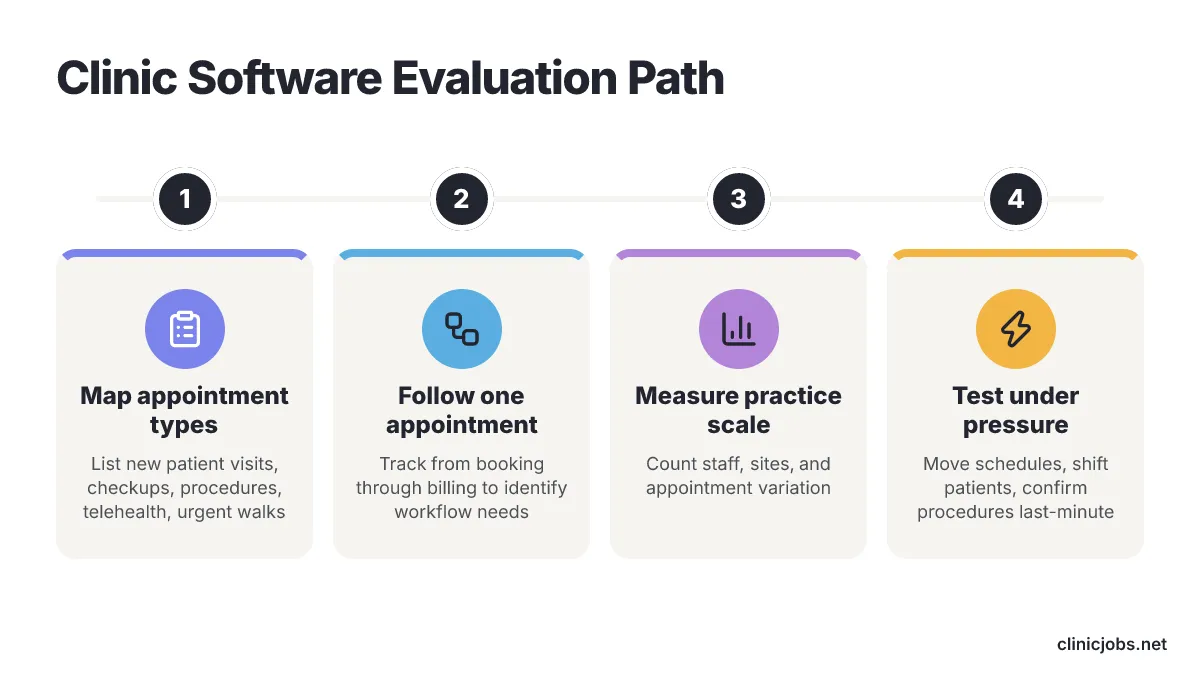
Start by listing every appointment type the clinic handles in a normal month. New patient visits, routine checkups, minor procedures, telehealth calls, and urgent walk-ins all place different demands on staff time and room use. Demos turn into sales theater if clinical leaders show up without those categories already written down.
Follow the path of one appointment from booking to billing. Reception staff place the slot, clinicians open charts, patients get reminders, and billing teams check insurance codes after the visit ends. Jane App fits teams that want clinical notes, billing, and direct patient messaging in one place, while Square is a clean alternative when a practice only needs self-service web booking with synced calendars and quick confirmation notices.
Measure the practice by staff count, physical space, and appointment variation. Healthie deserves a close look for growing practices with several providers, branch sites, and service categories inside one calendar system. Reservio suits clinics that have to coordinate multiple physicians, care teams, and street addresses under one management system.
Decide whether procurement covers one clinic or a whole health system. WellSky fits large practices that want scheduling systems tested across many clinics, hospitals, and medical networks over decades. TIMIFY belongs on the shortlist when speed of adoption matters and leadership wants a clean interface that different staff groups can use without trouble.
Clinicians inside health systems or corporate networks tied to an existing electronic medical record are a separate case. For them, the answer is not a new appointment platform. They should work with clinical informatics teams to tune templates and rules inside the required platform, because software buying is already settled.
Patient generation work should stay apart from day-to-day calendar management. As an AI-powered marketing team for dental and medical clinics that builds, manages, and optimizes campaigns to book patients and improve local visibility, Clinads healthcare marketing drives incoming interest, but an acquisition agency cannot repair a messy intake schedule. Practices short on patients need better marketing, while practices dealing with calendar chaos need a different scheduling workflow.
Specialty needs should shape vendor evaluation scripts. Teams that manage special diagnostic blocks, procedural rooms, or complex recall workflows should write those limits down before they watch software demos, and practice managers refining their booking process can study cardiology appointment management as a model for mapping complex clinical workflows.
Ask vendors to show the system under pressure during the trial. Tell the sales representative to move a sick doctor's schedule, shift a patient to a secondary site, and confirm a procedure slot on short notice. Software proves itself when it handles ordinary clinical unpredictability without forcing coordinators into manual paper workarounds.
How to prepare for clinic scheduling software demos
Find the one scheduling bottleneck that creates the most friction for your team before you sit through software demos. Bring front-desk coordinators and clinical leads together and write your real appointment lengths, room needs, and provider limits on a single reference sheet. Comparing platforms against that operational sheet shows whether your clinic needs unified practice management, multi-site team coordination, or a plain online booking portal.
Set up vendor demos with instructions to run your custom scenario live. Ask each sales engineer to build your most complex clinic day on screen instead of showing a polished sample schedule. That review ends once a platform shows it can handle daily schedule changes without manual administrative work.
Frequently Asked Questions
What is the best scheduling software for clinics with integrated charting and billing?
Jane App is ideal for clinics that need integrated scheduling with charting and billing. It merges calendar bookings directly with clinical notes, insurance billing, and secure patient communication, making it a central administrative hub for health and wellness facilities.
Which scheduling tool is suitable for growing practices with complex calendars?
Healthie is best for growing practices with complex calendars. It allows for multi-dimensional calendar structures that coordinate distinct clinicians, multiple clinical sites, and varying appointment categories, making it ideal for expanding practices.
What scheduling software should high-volume care settings use?
WellSky is best for established, high-volume care settings. It is engineered to manage complex multi-departmental rules and offers deep administrative reliability, making it suitable for large healthcare networks with multiple service branches.
Which scheduling tool offers simple online booking and instant confirmation?
Square is best for practices that want simple online booking and instant confirmation. It allows patients to see openings, reserve visits, and get quick confirmations, making it ideal for solo practitioners and cash-pay clinics.
What scheduling software is best for managing multiple locations and teams?
Reservio is best for practices that need to manage multiple locations, doctors, and teams together. It provides a single platform to track several offices and clinical support groups, avoiding double-bookings and room clashes.
Which scheduling software is easiest for clinic staff to learn?
TIMIFY is best for clinics that want a user-friendly interface. It keeps core appointment controls simple so administrative staff can handle bookings without a long training period, and it suits settings from independent treatment rooms to large hospital departments.
Related reading
- Cardiology Practice Appointment Management in 2026
- Preventable vs Non-Preventable Denials Management
Sources
- Jane App – Practice Management Software for Health & Wellness Clinics
- Healthie – Patient Scheduling Software for Practices
- WellSky – Patient Scheduling Software
- Square – Free Online Booking and Scheduling Software
- Reservio – Medical and doctor's office scheduling software
- TIMIFY – Medical Appointment Scheduling Software